
Debugging Your Home: A Programmer’s Guide to Mold Detection and Removal
If you’ve spent years staring at lines of code, hunting down bugs, and troubleshooting systems, you already have a surprising advantage when it comes to dealing with mold in your home. The logical, methodical approach that makes you great at programming translates perfectly to identifying and addressing mold issues. Let’s walk through this domestic debugging process together.
Understanding the Problem: What Is Mold, Really?
Just like a software bug, mold is an unwanted presence that can spread if left unchecked. Mold is essentially a type of fungi that reproduces through microscopic spores floating through the air. When these spores land on a damp surface with the right conditions, they start to grow and multiply—much like how a small coding error can cascade into bigger problems if you don’t catch it early.
In Chattanooga, our humid subtropical climate creates the perfect environment for mold growth. We’re talking about moisture, warmth, and organic materials—the three things mold needs to thrive. Your home provides all three in abundance, especially in areas like basements, bathrooms, and crawl spaces.
Running Your Initial Diagnostics
Before you can fix a bug, you need to find it. The same principle applies to mold detection. Start with a visual inspection of your home, paying special attention to areas where moisture tends to accumulate.
Common Problem Areas to Check
- Bathroom walls and ceilings, especially near showers and tubs
- Under sinks and around pipe connections
- Basement corners and foundation walls
- Window sills and frames
- Attic spaces, particularly near roof vents
- Behind appliances like washing machines and refrigerators
- HVAC systems and ductwork
Look for discoloration, fuzzy or slimy patches, and water stains. Sometimes mold hides behind wallpaper or under carpeting, so trust your nose too. That musty, earthy smell is often your first clue that something’s wrong in the code—er, home.
The Smell Test
Just as experienced programmers can sometimes sense when code “smells” wrong, your nose is an excellent mold detector. A persistent musty odor, even without visible mold, indicates that spores are growing somewhere. This is your system throwing an error message you shouldn’t ignore.
Identifying the Root Cause
In programming, fixing the symptom without addressing the root cause means the bug will just come back. The same is true for mold. You can clean visible mold all day long, but if you don’t fix the underlying moisture problem, you’re just applying a temporary patch.
Common moisture sources include leaky pipes, poor ventilation, high humidity levels, roof leaks, and foundation cracks. In our Chattanooga area, heavy rainfall and humidity spikes can exacerbate these issues, making it crucial to address them systematically.
Think of moisture as the input that triggers the mold function. Cut off that input, and the function can’t execute. Use a moisture meter—they’re inexpensive and available at any hardware store—to check suspect areas. Readings above 60% relative humidity create ideal conditions for mold growth.
Developing Your Remediation Strategy
Now that you’ve identified the problem and its source, it’s time to develop a fix. For small mold patches (less than 10 square feet), you might handle this yourself. However, larger infestations or mold in HVAC systems require professional intervention. This is when you need to call in the specialists who handle mold removal in Chattanooga for a thorough assessment and remediation plan.
DIY Approach for Minor Issues
For small, contained mold problems on non-porous surfaces, you can tackle the cleanup yourself. Here’s your debugging protocol:
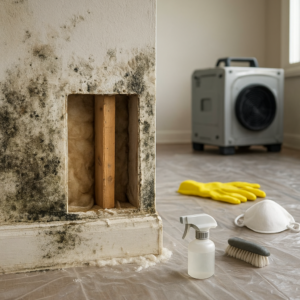
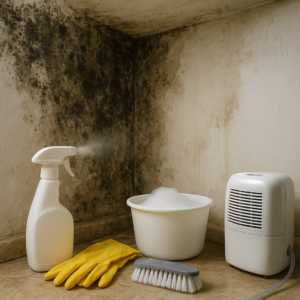
- Wear protective gear: N95 mask, gloves, and eye protection
- Ventilate the area by opening windows and using fans
- Mix a cleaning solution of detergent and water, or use a vinegar solution
- Scrub the affected area thoroughly with a brush
- Dry completely using fans or dehumidifiers
- Dispose of any cleaning materials in sealed plastic bags
Avoid using bleach on porous surfaces like drywall or wood—it only kills surface mold while the roots remain alive underneath. Think of it like commenting out code instead of actually deleting it; the problem is still there.
When to Call in Senior Developers (Professional Help)
Some problems are too complex for a solo fix. If you’re dealing with mold covering more than 10 square feet, mold in your HVAC system, mold caused by sewage or contaminated water, or if anyone in your household has respiratory issues, it’s time to bring in the professionals.
Professional mold remediation specialists have industrial-grade equipment, proper containment protocols, and the expertise to handle complex situations safely. They’ll also identify hidden mold that you might miss during your visual inspection. Organizations like the American Society of Home Inspectors can help you find qualified professionals who understand the technical aspects of home systems and mold detection.
Implementing Preventive Measures
The best code is the code that prevents bugs from happening in the first place. Similarly, the best mold strategy is prevention. Once you’ve addressed existing mold issues, implement these preventive measures:
Humidity Control
Keep indoor humidity levels between 30-50%. Use dehumidifiers in damp areas like basements. In Chattanooga’s humid summers, this might mean running your dehumidifier consistently. Monitor humidity levels with a hygrometer—think of it as your system monitoring tool.
Ventilation Optimization
Ensure proper airflow throughout your home. Use exhaust fans in bathrooms and kitchens when cooking or showering. Make sure your dryer vents outside, not into your home. Good ventilation is like good code architecture—it prevents problems before they start.
Regular Maintenance Checks
Schedule regular inspections of potential problem areas, just like you’d schedule code reviews. Check under sinks, around windows, and in basements quarterly. Catching moisture problems early prevents mold from establishing itself.
Quick Response Protocol
Address water issues immediately. A small leak today becomes a mold colony tomorrow. If you spill water on carpet, dry it within 24-48 hours. If a pipe leaks, fix it right away and dry all affected materials thoroughly.
Documentation and Monitoring
Good programmers document their work and monitor system performance. Apply the same principle to your home. Keep records of moisture readings in problem areas, photograph any mold you find before and after treatment, and note when you perform maintenance checks.
This documentation helps you identify patterns. Maybe your basement humidity spikes every spring, or perhaps that bathroom corner always shows moisture after heavy rain. Understanding these patterns helps you implement targeted solutions. Resources like the NCHH provide valuable information about maintaining healthy indoor environments and understanding the health impacts of mold exposure.
The Continuous Integration Approach
Mold prevention isn’t a one-time fix—it’s an ongoing process, much like continuous integration in software development. Build mold-prevention habits into your regular home maintenance routine. Check potential problem areas monthly, clean bathroom exhaust fans quarterly, and inspect your roof and gutters annually.
Consider it like running automated tests on your codebase. These regular checks catch small issues before they become major problems requiring extensive remediation.
Final Thoughts: Deploying Your Solution
Your home is your most important system, and like any system, it requires monitoring, maintenance, and occasional debugging. The analytical skills that make you successful in programming—attention to detail, logical problem-solving, and systematic approaches—serve you equally well in maintaining a mold-free home.
Remember that mold problems, like coding problems, are solvable. Start with thorough diagnostics, identify root causes rather than just symptoms, implement comprehensive solutions, and maintain preventive measures. When the problem exceeds your capacity to handle it safely and effectively, don’t hesitate to call in specialists who can ensure your home remains a healthy environment for you and your family.
Your home deserves the same careful attention you give to your code. After all, you can always rewrite software, but your health and your home are irreplaceable. Stay vigilant, stay proactive, and keep your living space running as smoothly as your best-optimized program.